Eclipse IDEEclipse Foundation
|
MPLAB Code ConfiguratorMicrochip
|
|||||
Related Products
|
||||||
About
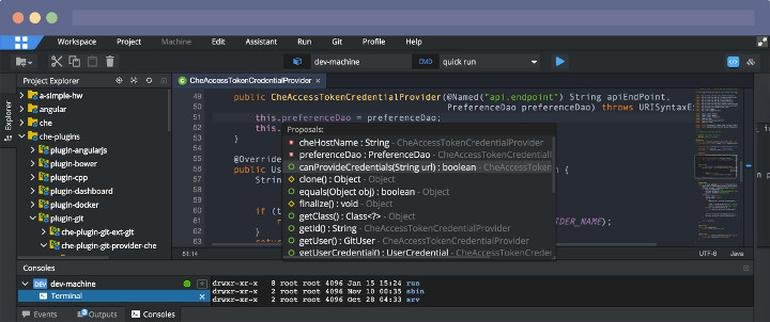
Eclipse IDE The Leading Open Platform for Professional Developers used in computer programming. Better Than Ever. The Eclipse IDE delivers what you need to rapidly innovate. Easier IDE configuration The Eclipse IDE Installer 2020-09 and several packages now include a Java Runtime Environment (JRE). Improved theming and styling. Improved Windows dark theme and GTK light theme. Moving to bleeding edge. Eclipse IDE now needs Java 11 as a minimum version to run on, but you can compile any version as usual. New experimental features. Support for aarch64. Linux support landed this version. Node.js is now embedded For all our LSP-based toolings, Node.js is now embedded to make things work out of the box Free and open source Free and open source; released under the terms of the Eclipse Public License 2.0. Powered by Participation. A vast ecosystem of plugins from an active community
|
About
MPLAB® Code Configurator (MCC) is a free, graphical programming environment that generates seamless, easy-to-understand C code to be inserted into your project. Using an intuitive interface, it enables and configures a rich set of peripherals and functions specific to your application. It supports 8-bit, 16-bit and 32-bit PIC® microcontrollers. MCC is incorporated into both the downloadable MPLAB X Integrated Development Environment (IDE) and the cloud-based MPLAB Xpress IDE. Free graphical programming environment. Intuitive interface for quick start development. Automated configuration of peripherals and functions. Minimized reliance upon product datasheet. Reduces overall design effort and time. From novice to expert. Accelerates generation of production ready code. Requiring no downloads, no machine configuration and no waiting, MPLAB Xpress is the easiest way to get started using MCC.
|
|||||
Platforms Supported
Windows
Mac
Linux
Cloud
On-Premises
iPhone
iPad
Android
Chromebook
|
Platforms Supported
Windows
Mac
Linux
Cloud
On-Premises
iPhone
iPad
Android
Chromebook
|
|||||
Audience
Professional developers looking for an integrated development environment (IDE) used in computer programming
|
Audience
Developers looking for a graphical programming environment to generate C code to be inserted into their projects
|
|||||
Support
Phone Support
24/7 Live Support
Online
|
Support
Phone Support
24/7 Live Support
Online
|
|||||
API
Offers API
|
API
Offers API
|
|||||
Screenshots and Videos |
Screenshots and Videos |
|||||
Pricing
No information available.
Free Version
Free Trial
|
Pricing
No information available.
Free Version
Free Trial
|
|||||
Reviews/
|
Reviews/
|
|||||
Training
Documentation
Webinars
Live Online
In Person
|
Training
Documentation
Webinars
Live Online
In Person
|
|||||
Company InformationEclipse Foundation
Canada
www.eclipse.org/eclipseide/
|
Company InformationMicrochip
Founded: 1989
United States
www.microchip.com/en-us/development-tools-tools-and-software/embedded-software-center/mplab-code-configurator
|
|||||
Alternatives |
Alternatives |
|||||
|
|
|
|||||
|
|
|
|||||
|
|
|
|||||
|
|
|
|||||
Categories |
Categories |
|||||
Application Development Features
Access Controls/Permissions
Code Assistance
Code Refactoring
Collaboration Tools
Compatibility Testing
Data Modeling
Debugging
Deployment Management
Graphical User Interface
Mobile Development
No-Code
Reporting/Analytics
Software Development
Source Control
Testing Management
Version Control
Web App Development
|
||||||
Integrations
Jtest
Azure DevOps Labs
CSS
Contrast Assess
Eclipse Jetty
EvoSuite
GenRocket
JavaScript
Onapsis
Rocket COBOL
|
Integrations
Jtest
Azure DevOps Labs
CSS
Contrast Assess
Eclipse Jetty
EvoSuite
GenRocket
JavaScript
Onapsis
Rocket COBOL
|
|||||
|
|
|