Canvas EnvisionCanvas GFX
|

GraphicPicta
|
|||||
Related Products
|
||||||
About
From a powerful creator app to hosted solutions and deep integrations with manufacturing tech stacks, Canvas Envision delivers interactive instructional experiences that minimize errors and delays.
The Envision platform is an End-to-end solution for creating, managing, and consuming interactive digital work instructions. Cloud collaboration and document viewing. Available hosted or in your private cloud.
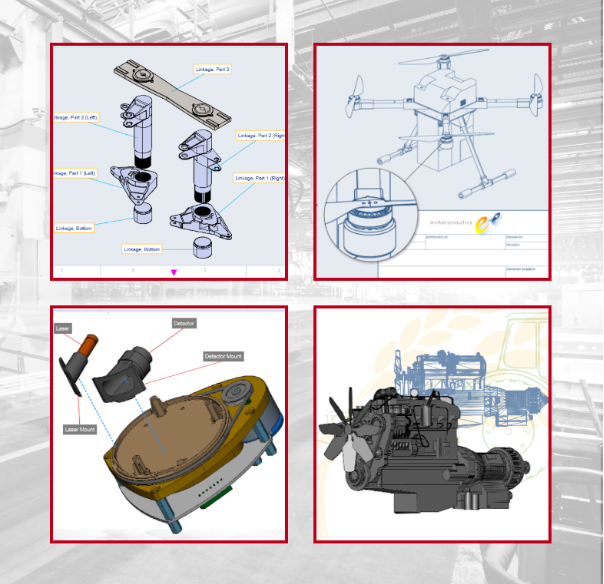
Document viewers will be able to easily access and consume digital instructional content containing precise 2D graphics, narrated animations, and fully interactive embedded 3D models. Interactive digital instructions are proven to drive faster time to task completion, and reduce error count.
- Create end-to-end digital work instruction documents
- Leverage 2D drawing, image editing, and 3D visualization
- Create 3D model animations with text-to-speech narration
- Collaborate with teams on document creation
- Deliver fully interactive instructional experiences
|
About
Unlike bitmap drawing applications, which focus on editing the individual pixels of an image, vector designs are created using objects and paths. Vector paths, consisting of points, lines, and curves, can be painted and filled. Multiple paths can be used together to create detailed intricate objects, while multiple objects can then be arranged to create a larger design. A vector image remains crisp when enlarged, without any loss of quality. A bitmap version of the same image loses quality when enlarged. When launching Graphic for the first time, you will be presented with the Documents Browser displaying a few sample documents. Tap any document to open it. When objects are selected, the fill and stroke color wells update to the colors used by those objects. Changing the fill or stroke colors while objects are selected will change the objects’ colors. Besides colors, gradients and patterns, objects can be filled with images. Even text objects can be filled with images.
|
|||||
Platforms Supported
Windows
Mac
Linux
Cloud
On-Premises
iPhone
iPad
Android
Chromebook
|
Platforms Supported
Windows
Mac
Linux
Cloud
On-Premises
iPhone
iPad
Android
Chromebook
|
|||||
Audience
Enterprise teams seeking to create and deliver fully interactive digital work instructions
|
Audience
Designers and professionals in need of an illustration and graphic design application to create their projects
|
|||||
Support
Phone Support
24/7 Live Support
Online
|
Support
Phone Support
24/7 Live Support
Online
|
|||||
API
Offers API
|
API
Offers API
|
|||||
Screenshots and Videos |
Screenshots and Videos |
|||||
Pricing
No information available.
Free Version
Free Trial
|
Pricing
No information available.
Free Version
Free Trial
|
|||||
Reviews/
|
Reviews/
|
|||||
Training
Documentation
Webinars
Live Online
In Person
|
Training
Documentation
Webinars
Live Online
In Person
|
|||||
Company InformationCanvas GFX
Founded: 1986
United States
www.canvasgfx.com/envision
|
Company InformationPicta
United States
graphic.com
|
|||||
Alternatives |
Alternatives |
|||||
|
|
|
|||||
|
|
||||||
|
|
||||||
|
|
||||||
Categories |
Categories |
|||||
Graphic Design Features
Collaboration
Data Visualization
Filtering
Image Database
Image Editor
Templates
Vector Graphics Features
2D Drawing
Animation
Data Import / Export
Drag & Drop
Image Editor
Image Tracing
Rendering
Templates
CAD Features
2 1/2-Axis Milling
2D Drawing
3-Axis Milling
3D Modeling
4-Axis Milling
5-Axis Milling
Civil
Collaboration
Database Connectivity
Design Analysis
Design Export
Document Management
Electrical
Hole Making
Mechanical
Mechatronics
Presentation Tools
Simulate Cycles
Spiral Output
Structural Engineering
Toolpath Simulation
User Defined Cycles
Collaboration Features
Brainstorming
Calendar Management
Chat / Messaging
Contact Management
Content Management
Document Management
Project Management
Real Time Editing
Task Management
Version Control
Video Conferencing
Flowchart Features
Collaboration
Diagramming
Drag & Drop
Organizational Charting
Process Mapping
Revision Management
Templates
Text to Chart
|
||||||
Integrations
AutoCAD
CATIA
Competency.ai
Creo
NX CAM
OneCampus
Revit
RhinoCAM
SOLIDWORKS
|
Integrations
AutoCAD
CATIA
Competency.ai
Creo
NX CAM
OneCampus
Revit
RhinoCAM
SOLIDWORKS
|
|||||
|
|
|